You finally get your website launched. The photos look right, the pages explain what you do, and you have a link you feel good sharing.
Then you get back to running your business. As you should.
But a few months later, who is checking whether the contact form still reaches your inbox? Who is keeping track of renewals? If something breaks, do you know who to call?
Those aren’t things you should have to figure out during a busy workday.
Your website should make your business easier to run. A little ongoing attention—and knowing who is responsible for it—helps keep it that way.
“I pay for hosting. Doesn’t that cover it?”
It’s a reasonable question. Website bills can sound like they all pay for the same thing, but there are different pieces involved:
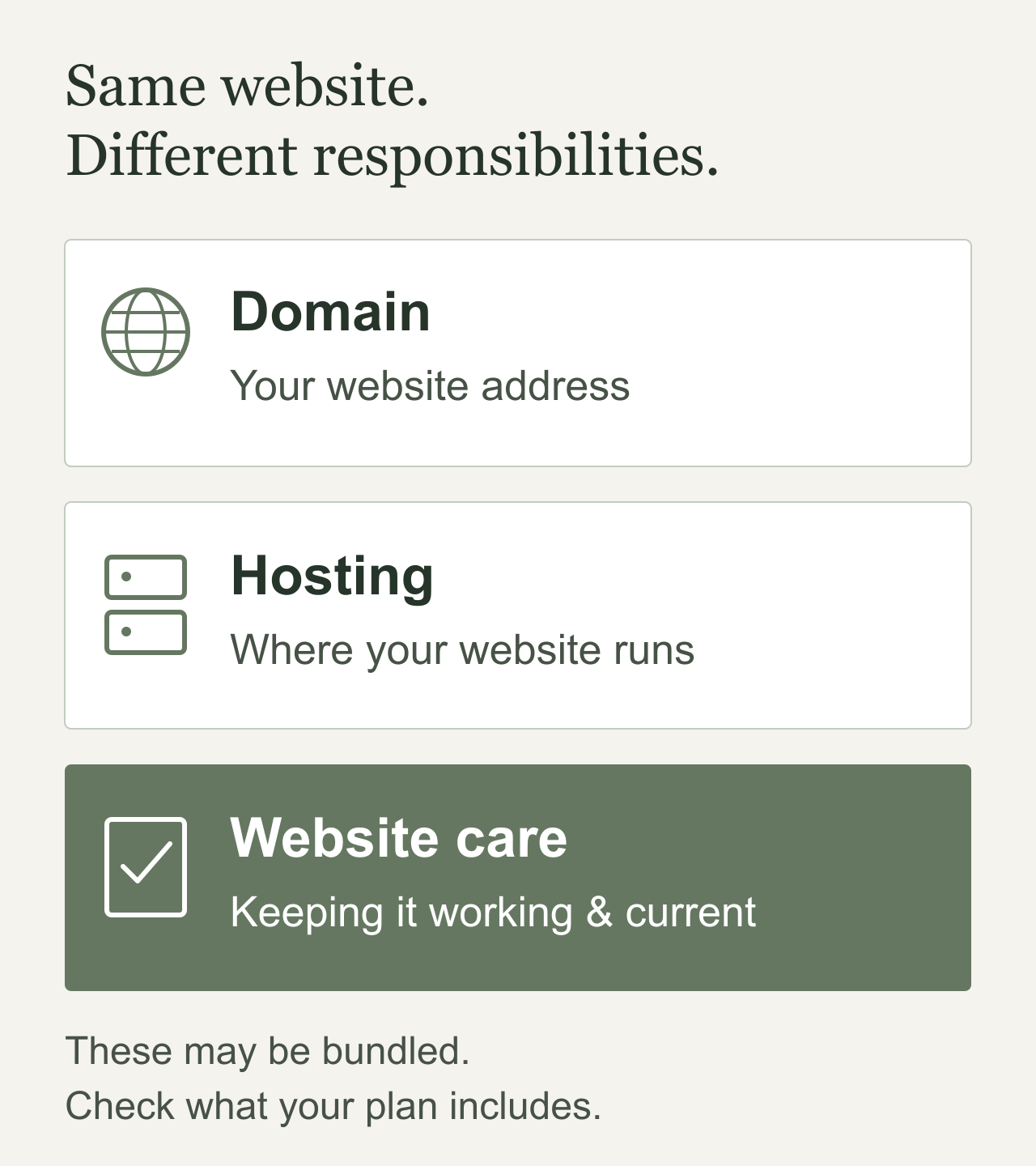
- Your domain is your website’s address. Its registration needs to stay current.
- Your hosting provides the environment that makes your website available online.
- Website care is the work of maintaining, checking, and updating the site itself.
These can be bundled together. Some hosting packages include managed updates, backups, and other support. Others cover much less.
The important question isn’t whether you need another subscription. It’s what your current arrangement covers—and who handles everything else. Managed and self-hosted options divide those responsibilities differently. WordPress.com’s comparison of managed and self-hosted websites
A hosting payment alone doesn’t tell you whether someone is checking your booking link, updating your services, or confirming that an inquiry actually arrived.
Looking fine isn’t the same as working properly
Imagine a customer opening your website to ask about a project. They fill out the form, press Send, and see a confirmation message.
But the notification goes to an old email address.
From their side, they contacted you. From your side, nothing happened.
That’s an example of why checking a website means more than opening the homepage.
Depending on your business, a useful check might include:
- Sending a clearly labeled test inquiry and confirming it reaches the right person.
- Following the booking process far enough to spot a broken link or unavailable calendar.
- Checking your menu, directions, downloads, and phone links.
- Using the site on a phone—not only on the computer where it was built.
These are ordinary parts of a customer’s experience. They deserve attention even when the design still looks great.
Updates are part of owning a website
There’s a recent example worth mentioning: on September 22, 2026, WordPress released version 7.1.2 to address a critical security vulnerability and recommended prompt updating. WordPress’s official release announcement
That announcement doesn’t mean your website has been compromised. It illustrates why software maintenance needs someone responsible for it.
For a WordPress website, that can include the core software, theme, and plugins. A custom-built site has its own code, hosting environment, and any connected tools to consider. A hosted website builder handles some technical maintenance for you.
The checklist depends on what you have.
You don’t need to learn every technical detail. You do need a clear answer to: “Who notices when something needs updating, and who checks the site afterward?”
Routine reviews are helpful, but an urgent security update shouldn’t sit untouched simply because the next monthly check hasn’t arrived.

A backup should come with a recovery plan
“We have backups” is reassuring. “We know how to restore them” is more useful.
For a typical WordPress site, a complete recovery requires both its files and database. Saving only one can leave important pieces missing. WordPress’s backup guidance
Ask when the latest backup was made, what it includes, and who would restore it. Your backup schedule should reflect how much changes: a simple informational site and a busy online store have different needs.
It’s also worth confirming that recovery has been tested safely, separately from the live site where possible. CISA recommends testing backups as part of recovery preparation. CISA’s backup and recovery recommendations
A backup doesn’t prevent every problem. It gives you a way forward when something goes wrong.
Your business changes. Your website should keep up.
Not every website update is technical.
Maybe you added a service, changed your hours, or stopped offering something. Maybe your team has grown, but the website still shows the original staff photo.
For a café, it might be an outdated menu. For a contractor, it might be a service you no longer provide. For a nonprofit, it might be an old application deadline.
Those details shape what people expect from you.
Ongoing care should leave room to ask: “Does this still accurately represent my business?”
That doesn’t mean rewriting everything every month. Sometimes the most useful update is one corrected paragraph, a current photo, or a clearer next step.
Four questions to ask your website person
You can copy these into an email:
- What is already included in my hosting or support plan, and what is separate?
- Who handles updates and checks that important features still work?
- What is backed up, and how would we recover the website if needed?
- Who do I contact for a problem or change, and what response time should I expect?
Keep domain and hosting renewal dates somewhere accessible, too. Check that payment details and renewal notices are going to the right place. ICANN’s domain-renewal guidance is a useful starting point for your website address. ICANN’s renewal and expiration FAQs
You shouldn’t have to guess who is looking after something your business relies on.
You don’t have to handle all of this yourself
You don’t need a complicated maintenance package just because someone says you should have one. You need support that fits your website, your business, and the work you actually need done.
That might mean periodic help with a straightforward site. It might mean closer attention to bookings, an online store, or a custom business tool.
I help business owners in Omaha and eastern Nebraska with website updates and ongoing support. We can start by looking at what you have, what’s already covered, and where you could use a hand.
The goal is simple: a website you can feel comfortable sending people to—and someone you can turn to when it needs attention.
Sources checked October 5, 2026.