You’re putting time into your business, sharing your work, and trying to get in front of more people. It makes sense to wonder whether running an ad would help.
It might. But before you put more money behind your website, I’d start with a different question:
What happens after someone clicks?
Can they find the service they need? Do they know whether you work in their area? If they reach out, does their message actually get to you?
Those aren’t complicated marketing questions. They’re the everyday details that deserve attention before you pay for more visitors.
On September 23, Google announced plans for a report connecting the words people search, the ads they see, and the website pages they reach. Availability details are still coming later this year. You don’t need to wait for a new tool to think through that same journey on your own website. Google’s announcement
1. Make it clear what you do—and who you help
Imagine someone landing on your website without knowing anything about you. They haven’t followed your social posts or heard your story from a friend.
Can they quickly understand what you offer and where you work?
Something like “Kitchen remodeling in Fremont and surrounding communities” gives a potential customer more useful information than “Bringing your vision to life.” Your personality still belongs on the page. Give people something specific to connect it to.
Try this: Show someone the first screen of your website and ask, “What would you hire this business for?”
2. Send people to the page that matches the ad
If your ad is about one service, the next page should make that service easy to find.
A customer clicking an ad for family photography shouldn’t have to search through weddings, commercial work, and your entire portfolio before finding session information.
You may already have a useful service page. Start there before assuming you need a whole new landing page. Check that the offer, service area, examples, and next step match what your ad promised.
Try this: Open the exact link you plan to advertise. Does it continue the conversation your ad started?
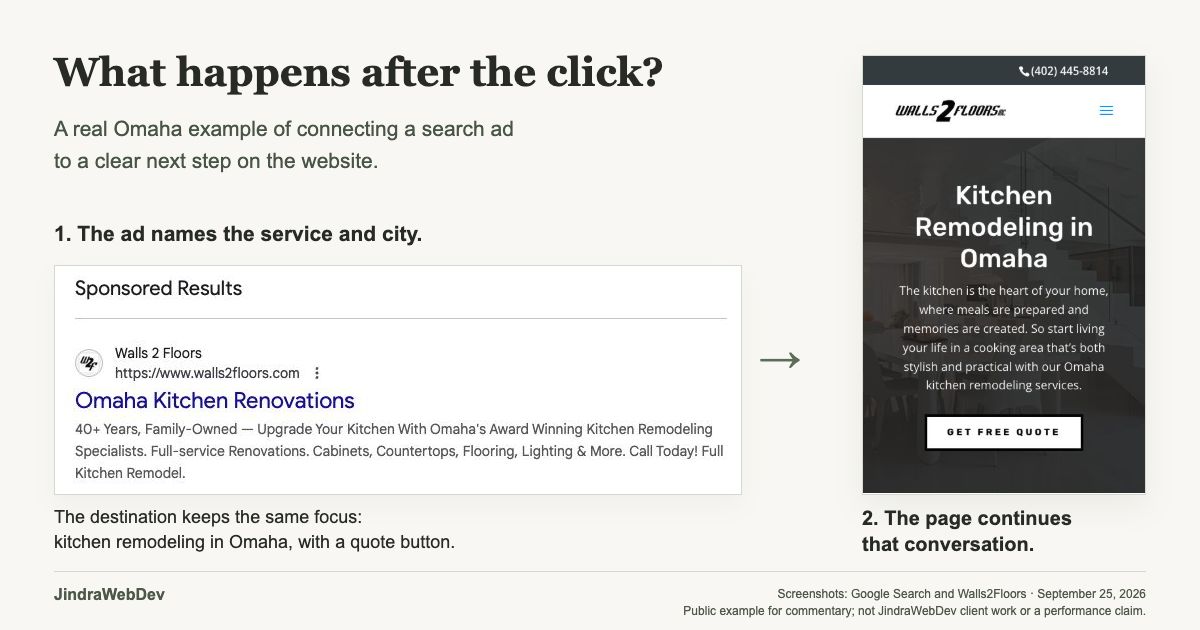
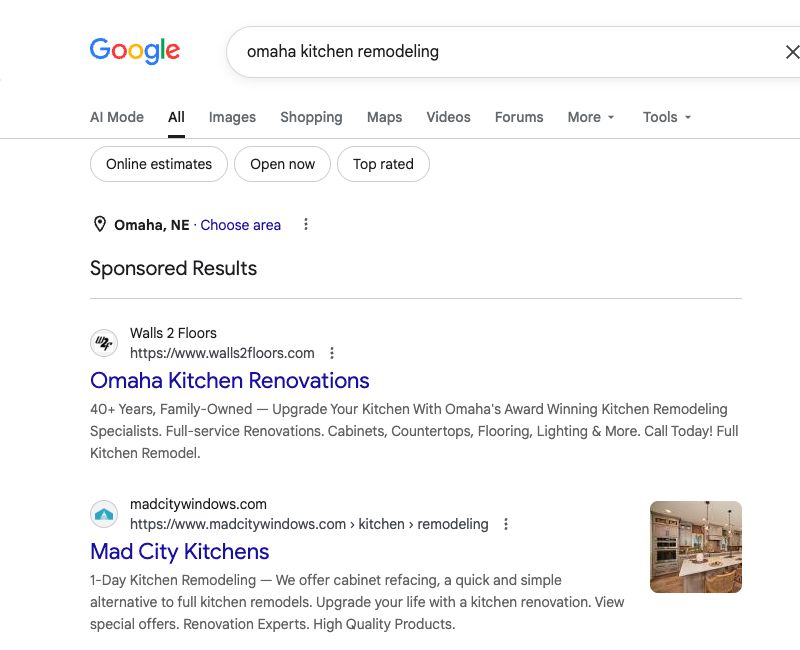
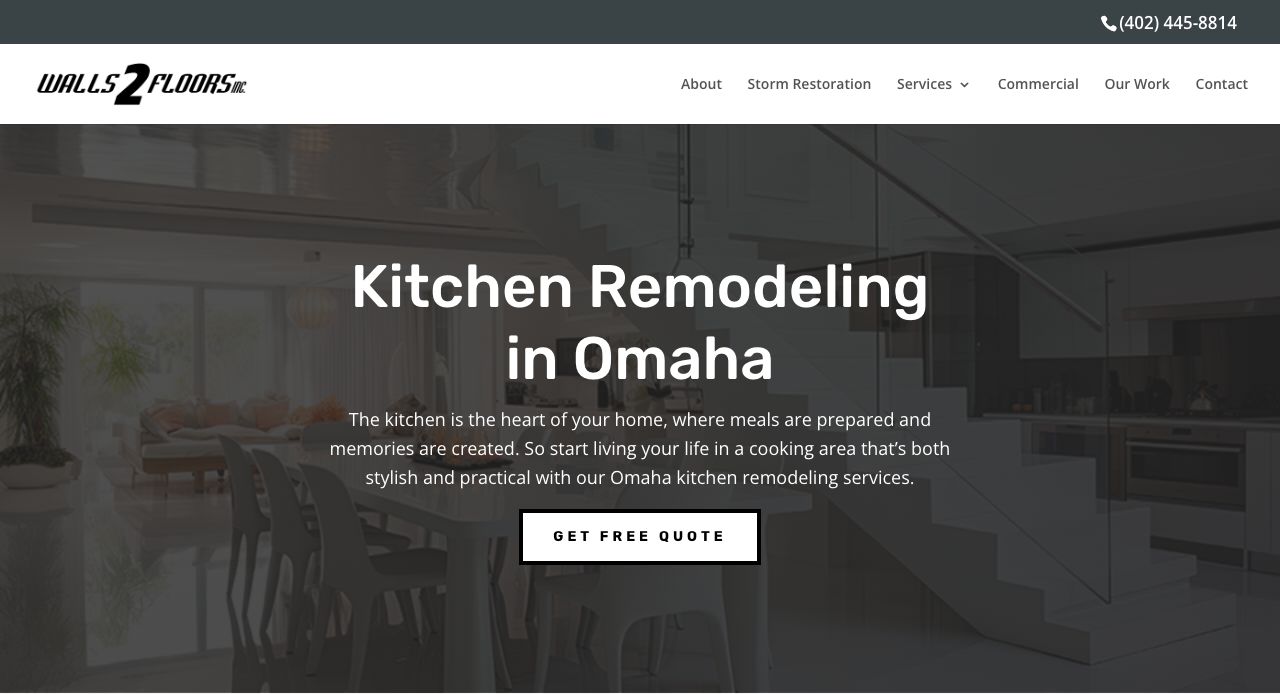
Here’s what that looks like in practice. In this Omaha search, the Walls2Floors ad names kitchen renovations and the city. Its public destination page stays focused on that service and location, with a quote button near the top. That’s the connection I want you to look for—not a reason to copy someone else’s wording.
3. Walk through it on your phone
Reading your website at your desk is one experience. Trying to request a quote while holding a phone is another.
Look for the little things: text that needs zooming, a menu covering the contact button, a form that’s awkward to complete, or a pop-up you can’t easily close.
Your next-step button should also say what happens. “Request a quote” is clearer than “Discover more” when you want someone to ask about a project.
Try this: On your phone, start at the advertised page and follow the path all the way to contacting your business.
4. Make sure the inquiry actually reaches you
This is worth checking even if your contact form looks perfectly fine.
Send a clearly labeled test inquiry. Check the confirmation the customer sees, the inbox or system that receives it, and whether you can reply. If someone else handles inquiries, include them in the test.
Then decide who follows up and what response time you can realistically offer. A message saying what happens next can be more reassuring than a plain “Submitted.”
Try this: Confirm that the test message arrived with the details you need—not simply that the form disappeared.
5. Know what your reports are counting
Clicks tell you that someone opened your ad. They don’t tell you whether that person became a customer.
If your goal is quote requests, ask whether your tracking records successful submissions or merely attempts to submit. Google’s own form-tracking documentation distinguishes between the two. Google’s form-tracking guidance
Also separate inquiries from good-fit inquiries and booked work. A submitted form is a useful step, but it isn’t a completed sale.
Try this: Ask whoever manages your ads, “What exactly counts as a lead in this report, and have we tested it?”
You don’t have to fix everything at once
This doesn’t automatically mean a new website or a bigger marketing budget. It might mean rewriting one heading, using a more relevant service page, or fixing where your form sends messages.
Start with one service you want to promote and walk through the experience as a new customer. Make a short list of anything unclear or difficult. That gives you a useful place to begin.
If you’re a business owner in Omaha or eastern Nebraska and aren’t sure what to check, tell me about your website and what you want it to do. I can help you sort out what needs attention before you spend more getting people there.